3600 words | Dan Hollick
How does a screen work?
From electron guns to tiny electric crystals — digital displays have always been the unsung hero of computing.
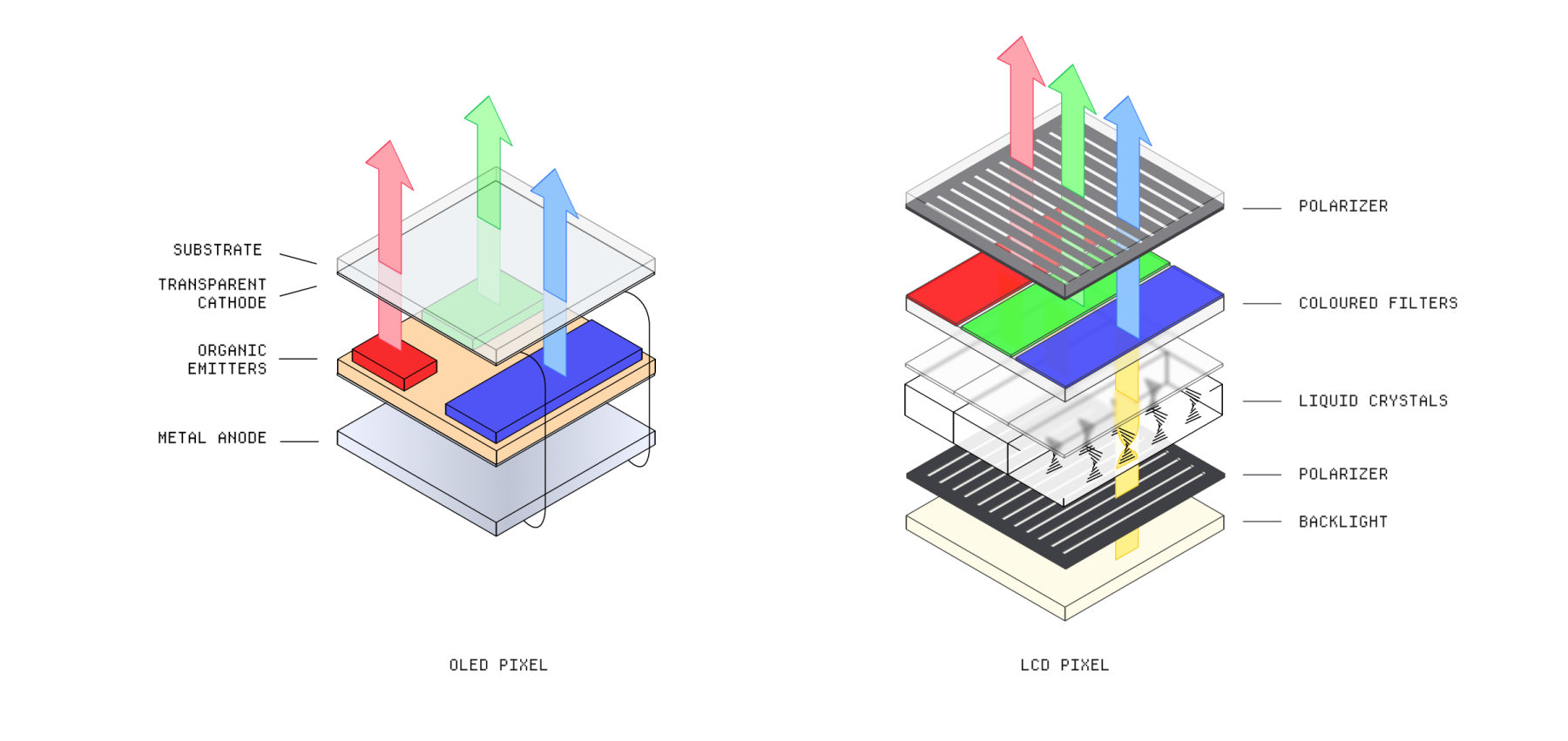
Software only becomes useful when a display can turn invisible electrical states into something our eyes understand. Every bright pixel is the end of a physical chain: current moves, materials react, and carefully filtered light leaves the panel.
The trick feels effortless because it happens millions of times at once. Under the glass, however, different screen technologies solve the same problem in very different ways.
A brief history of digital displays
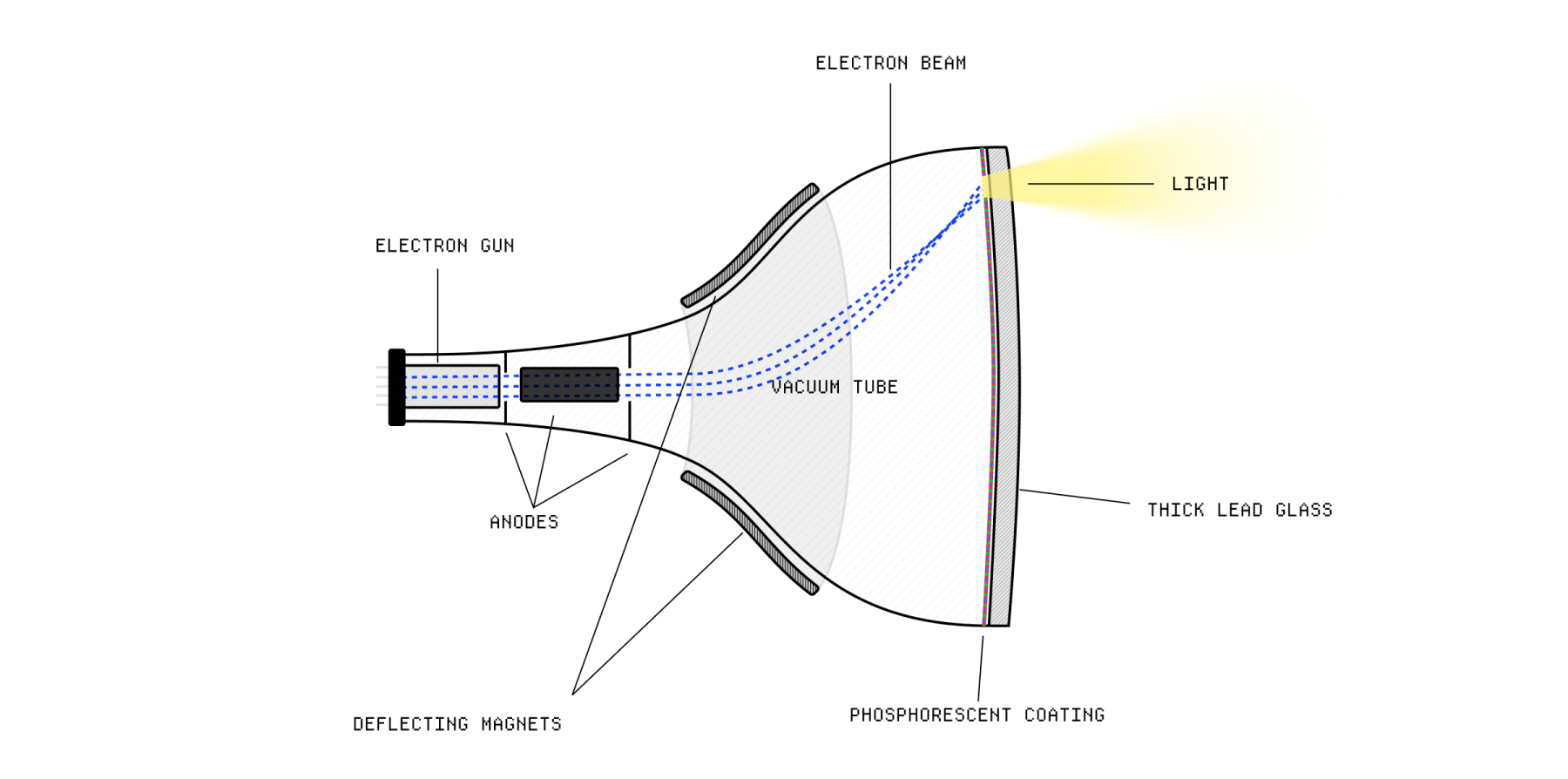
The first widely used electronic display was the CRT. Inside its heavy glass enclosure, an electron gun aimed a beam at a phosphor-coated screen. Wherever the beam landed, the coating glowed.
Magnetic coils steered the beam across the display one line at a time. By repeating that scan fast enough, the fading points of light appeared to form a stable picture.
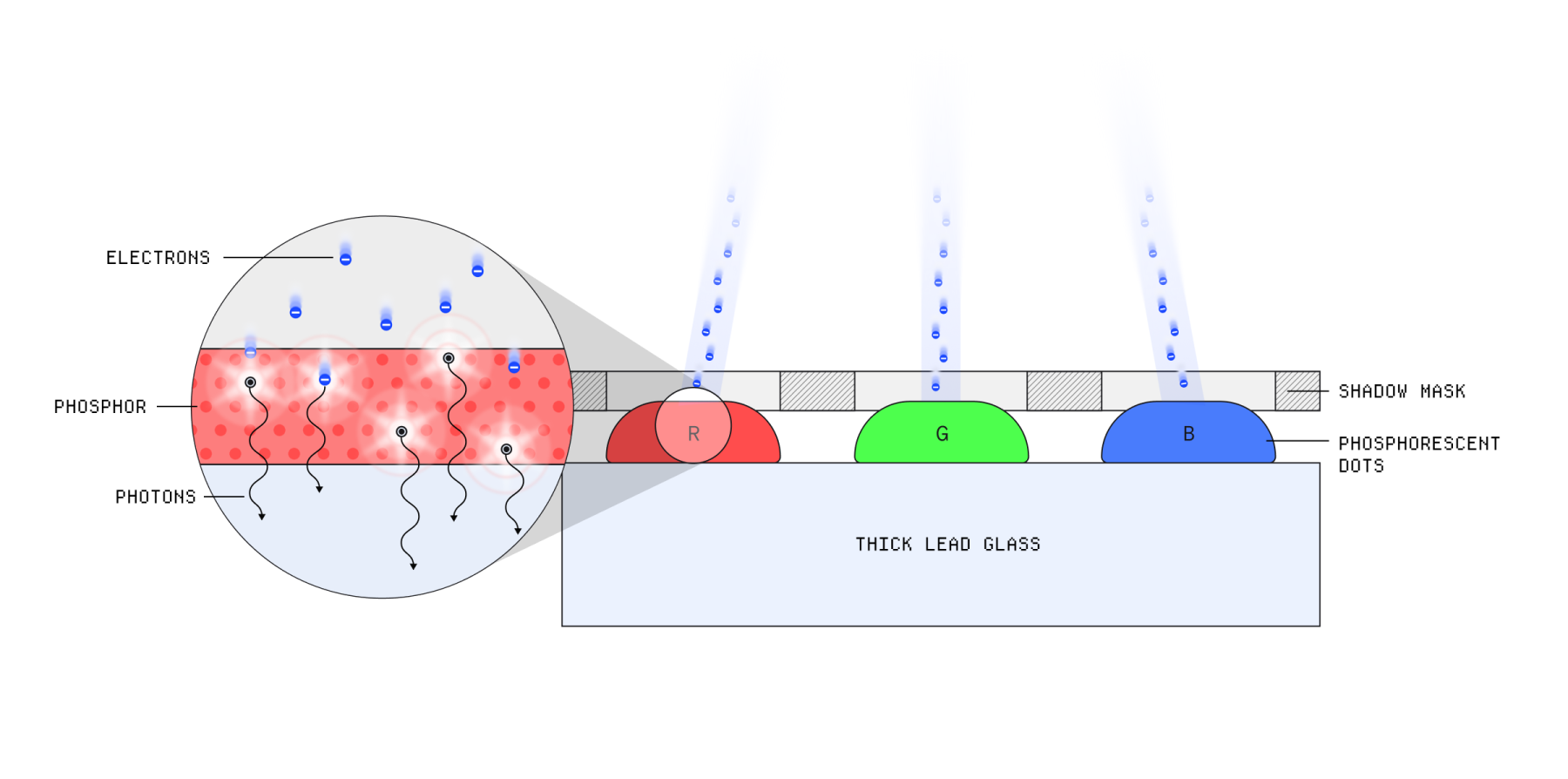
Red, green, and blue phosphors made colour possible. Varying the strength of the beam changed the brightness of each tiny component, while rapid scanning assembled those components into a full frame.
Why pixels?
A grid is not the only way to draw, but it is wonderfully predictable. A computer can store a colour for every address in a rectangular framebuffer, then send those values to the screen in sequence.
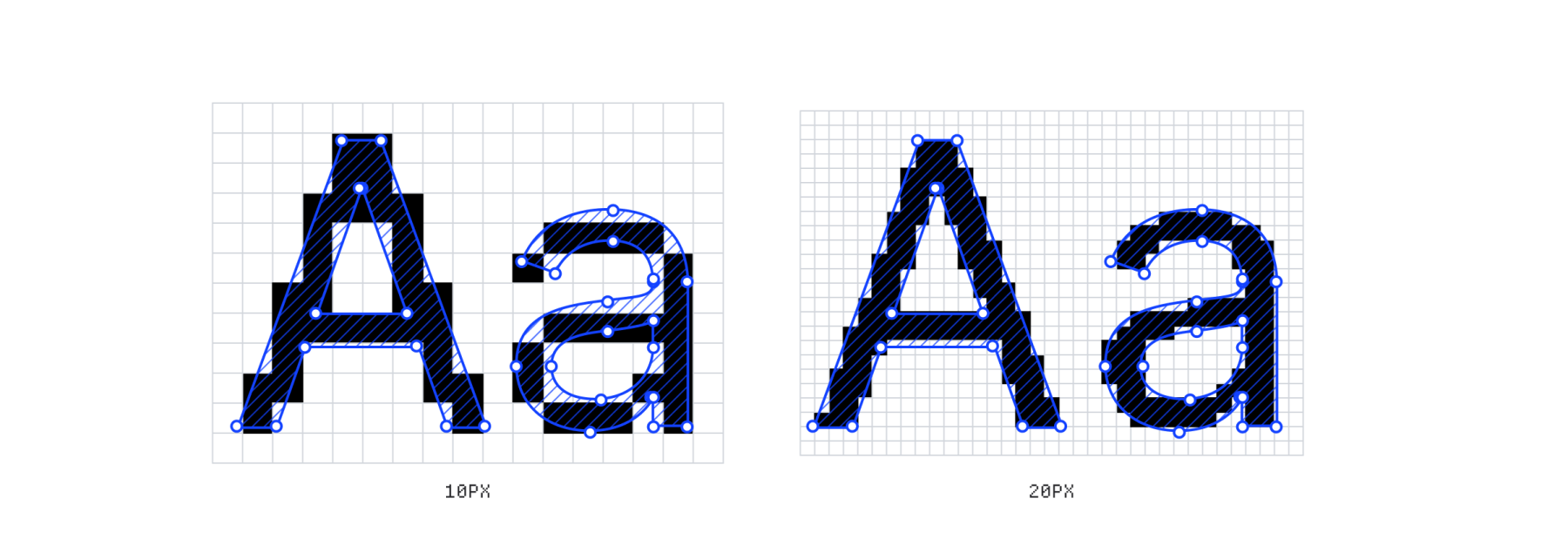
Curves and diagonals do not fit a square grid perfectly, so they must be rasterised. Higher pixel density makes the staircase edges small enough that the eye reads them as smooth.
01001101→DISPLAY
CONTROLLER→▓░▒▓
░▓▓▒
▒░▓░
Modern displays
Flat panels replaced the moving electron beam with a matrix of independently controlled cells. Today, most screens use one of two approaches: an LCD filters light made elsewhere, while an OLED creates light inside each sub-pixel.
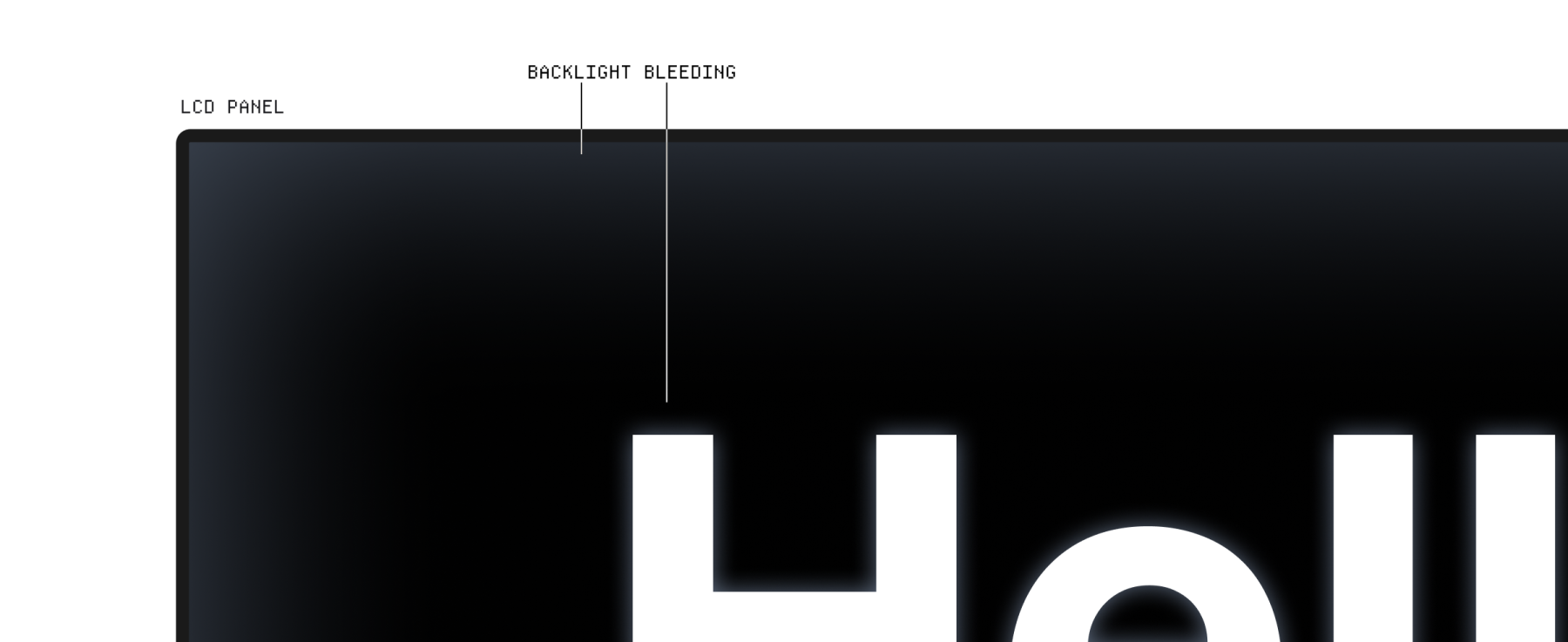
Bright, durable and affordable, but a shared backlight can leak into dark areas.
Perfect blacks and fast response, but organic materials age and dislike heat.
How an LCD works
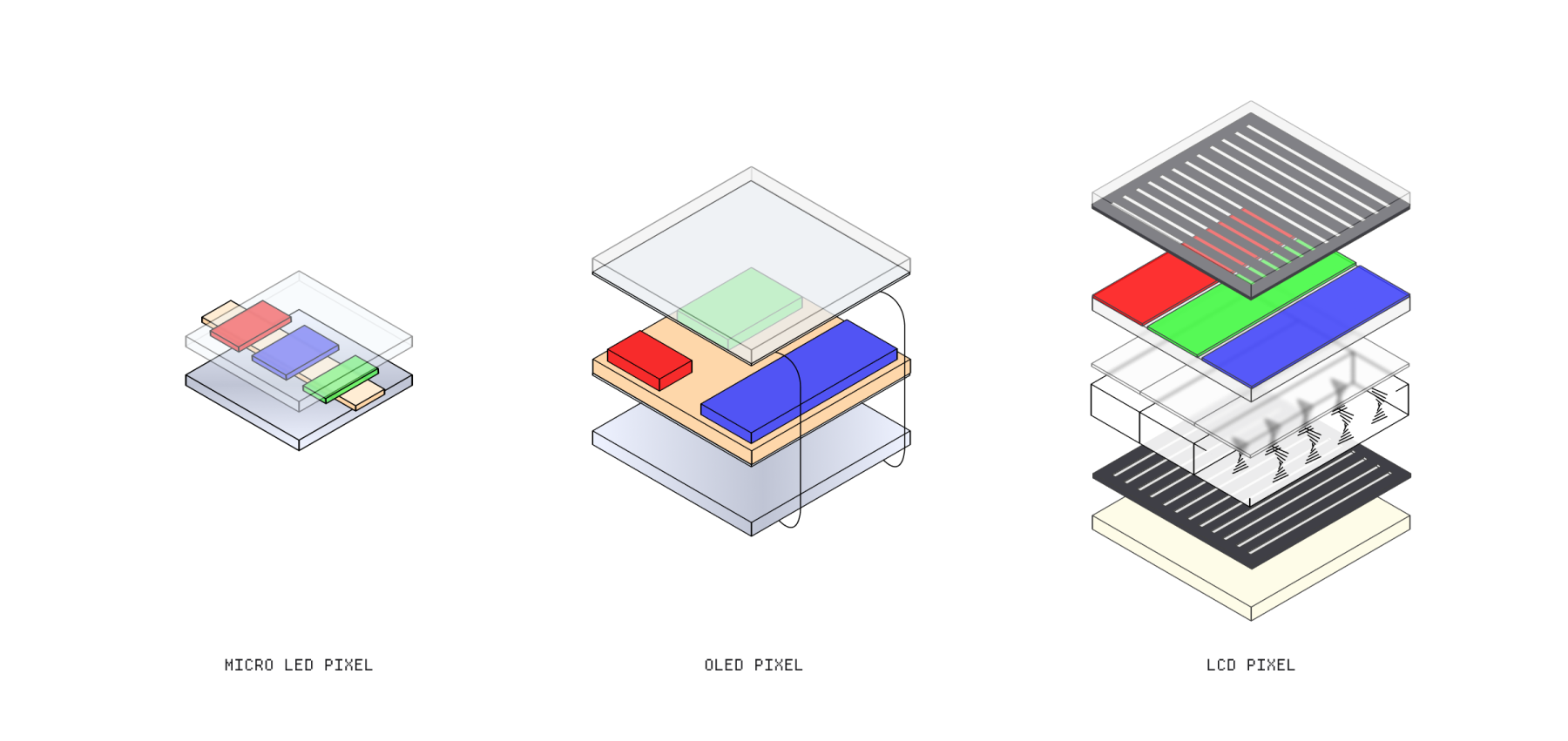
An LCD is a stack of optical layers. A white backlight shines through a polariser, a liquid-crystal cell, colour filters, and a second polariser. Voltage changes the orientation of the crystals, controlling how much light escapes.
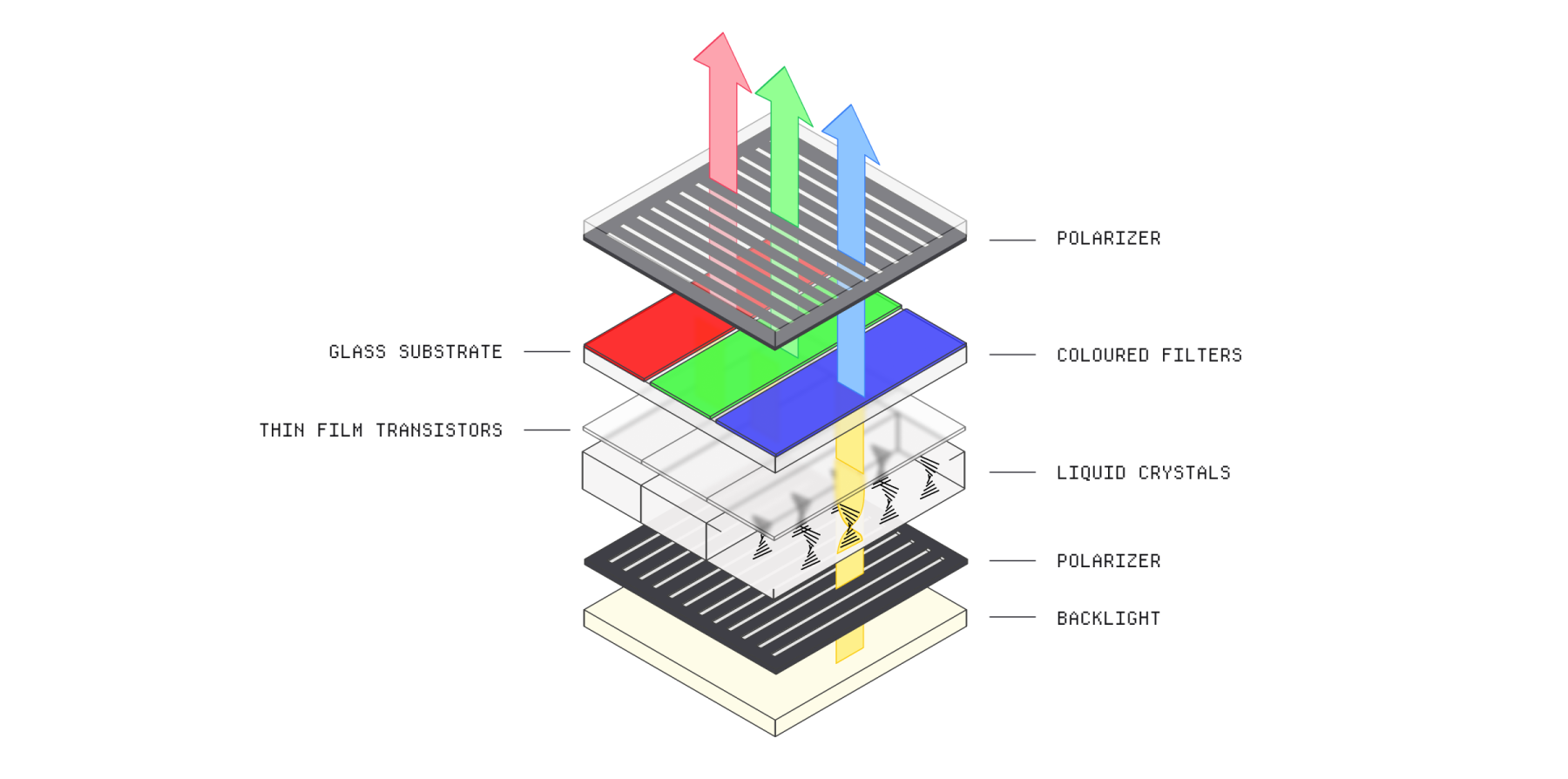
Each pixel is divided into red, green, and blue sub-pixels. Tiny transistors adjust the liquid crystals in each cell so the three filtered colours can be mixed at different intensities.
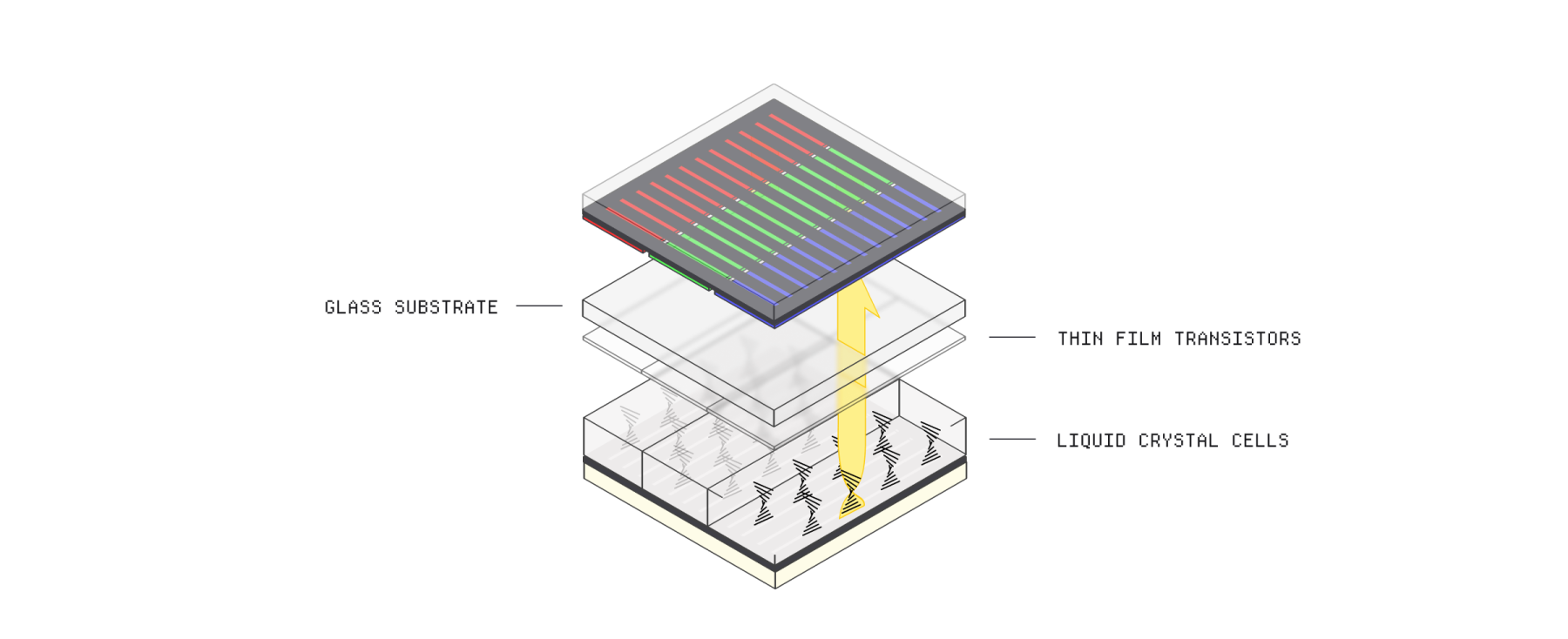
The backlight is both the LCD’s strength and its weakness. It can be very bright, but even a closed pixel lets a little light through. Local dimming improves black levels by turning down portions of the backlight behind dark content.
| LCD | OLED | |
|---|---|---|
| Light source | Shared backlight | Every pixel |
| Black level | Some light leakage | Pixel turns off |
| Strength | Brightness | Contrast |
| Trade-off | Viewing angle | Material ageing |
How an OLED works
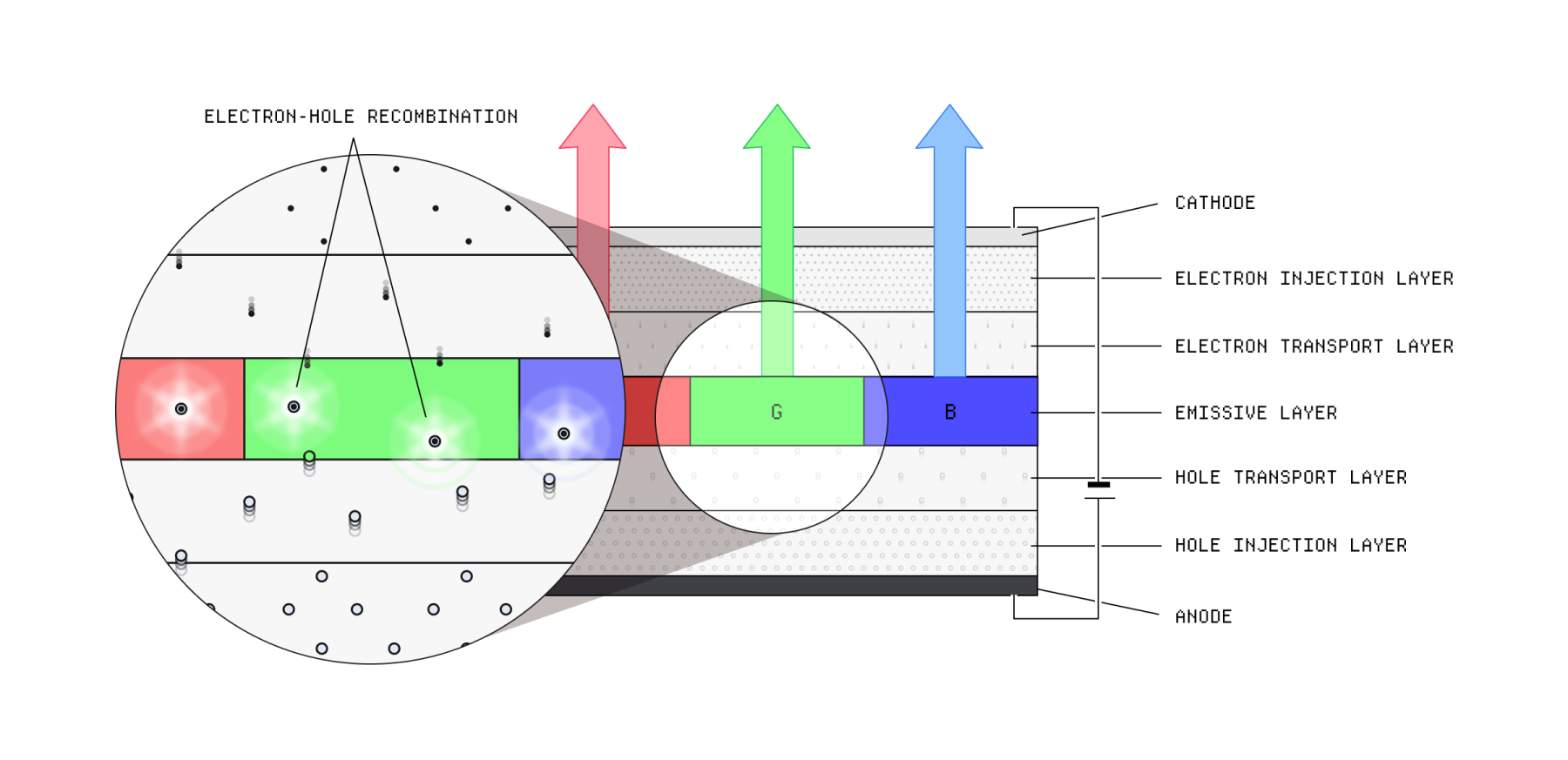
OLED panels remove the backlight entirely. A current passes through a thin organic emissive layer between two electrodes. Electrons and positively charged “holes” meet, releasing their energy as photons.
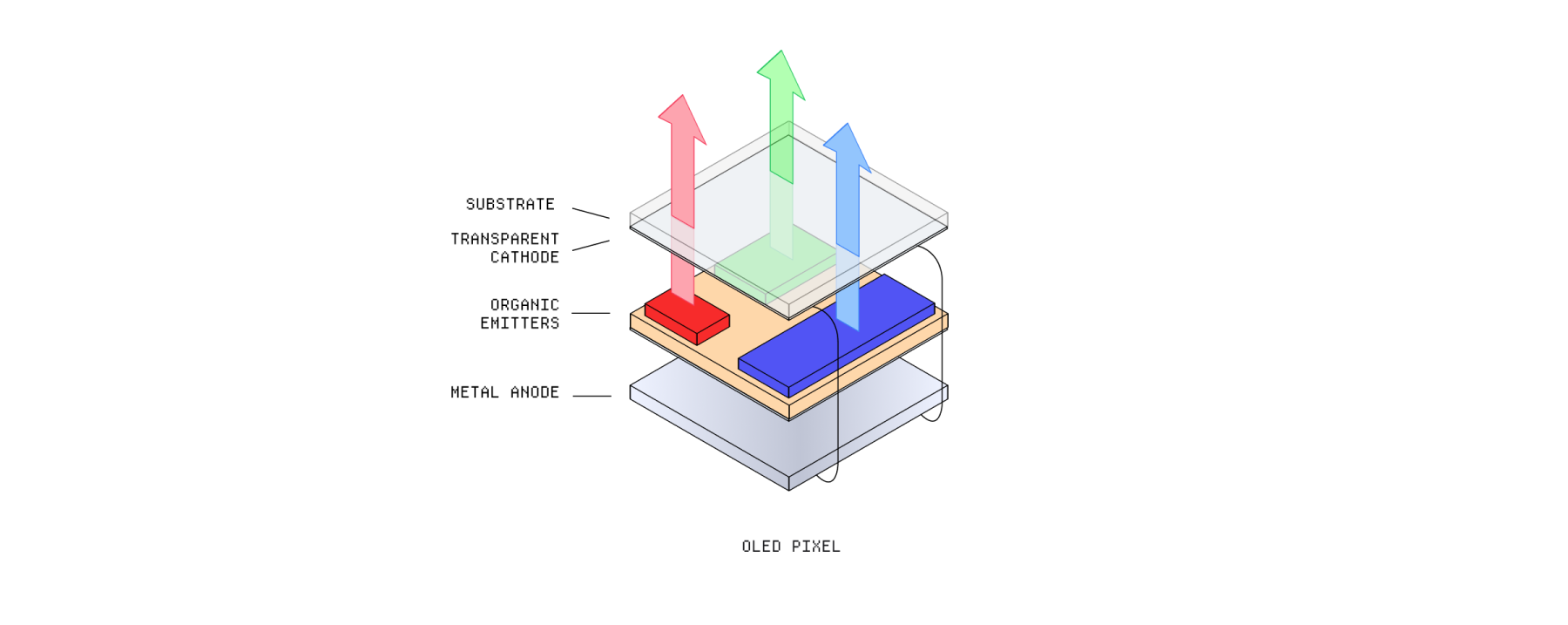
Because an OLED sub-pixel produces its own light, it can switch off completely. That creates deep blacks, wide viewing angles, and very fast response. The compromise is that its organic compounds gradually degrade, especially when driven at high brightness.
The next generation
New panels try to keep the best traits of both systems. Tandem OLEDs stack two emissive layers so each can run at a lower load. Mini-LED LCDs shrink their dimming zones. MicroLED goes further by placing a microscopic inorganic LED at every sub-pixel.
MicroLED promises high brightness, perfect blacks, and a long life. Its problem is manufacturing: millions of microscopic components must be positioned and tested with extraordinary accuracy.
A screen is not a neutral window. It is a carefully engineered machine for turning numbers into light, and every display technology leaves its own fingerprint on the image.
Glossary
1 CRT — A vacuum display that uses an electron beam and phosphors.
2 Framebuffer — Memory that stores the colour value of each pixel in a frame.
3 Sub-pixel — A red, green, or blue component used to form one pixel.
A visual study based on Making Software. Illustrations credited to the original chapter.